
 Displays
 OpenMasjid Display
Run prayer timetables, cameras and HDMI on every screen in your masjid — over your network
The ecosystem
OpenMasjidOS is the base you install once. Everything else is an app you add from the App Store in a click — and every one of them is free and open source, like the platform underneath.
Install it on one computer at the masjid. You get a dashboard behind a login. The dashboard shows the health of the machine, and you install apps from it with one click. Each app runs on its own. When you update OpenMasjidOS, it does not change your apps or their data.
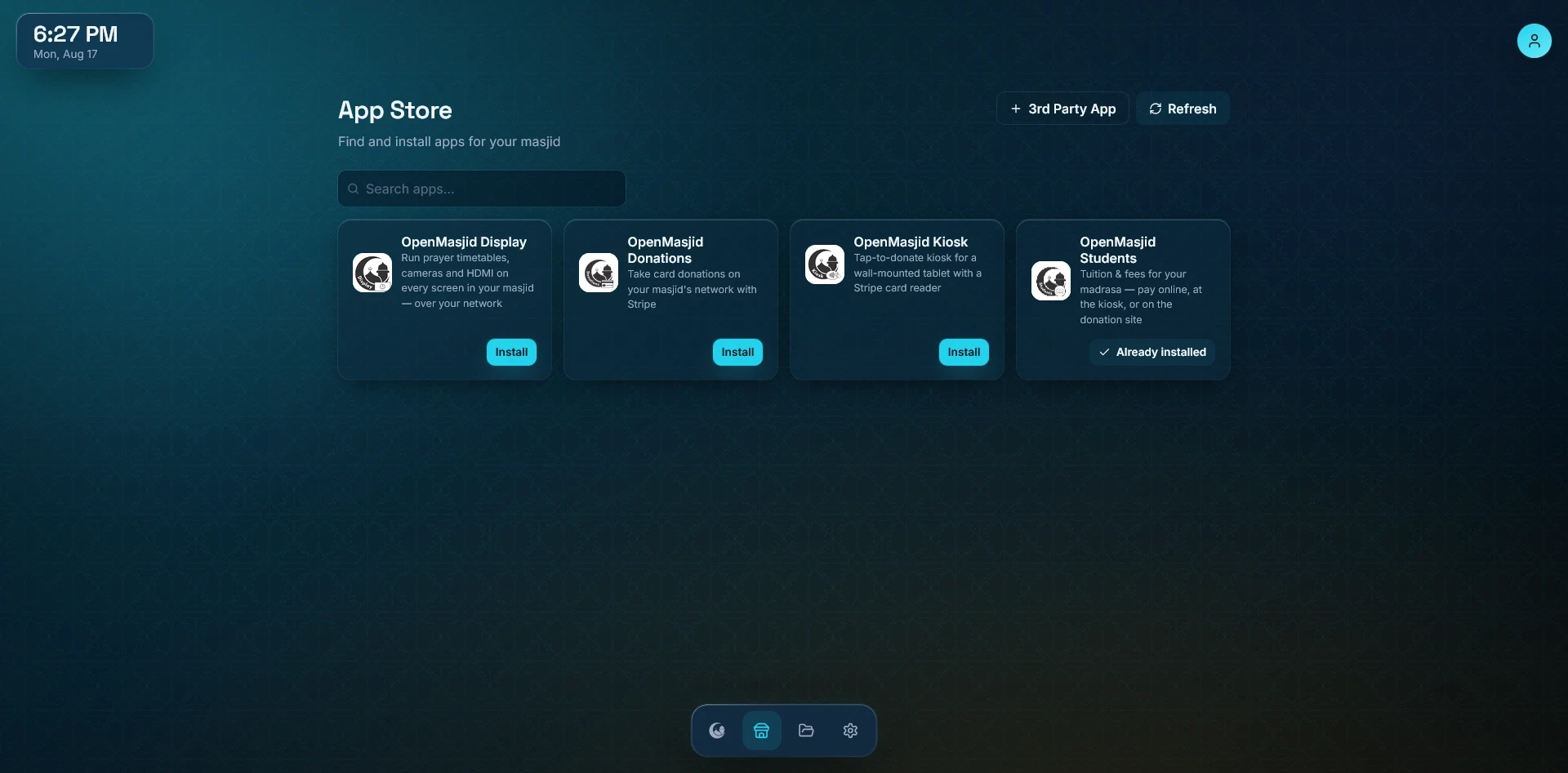
In the App Store today
This list is built from the same catalog your dashboard reads, so it is exactly what you will see in the App Store.
Displays Run prayer timetables, cameras and HDMI on every screen in your masjid — over your network
 Donations
 Take card donations on your masjid's network with Stripe
 Donations
 Tap-to-donate kiosk for a wall-mounted tablet with a Stripe card reader
 Admin
Admin Tuition & fees for your madrasa — pay online, at the kiosk, or on the donation site
 Community
 Prayer times and giving, on every musalli's phone
 Utilities
 Let the masjid send WhatsApp messages from a number of its own
Every app lives in its own repository and is listed in OpenMasjidAPPS, pinned to an exact version. Building something for masjids? Here is how to add it.
One of these is not ours. The WhatsApp Gateway packages OpenWA, a self-hosted gateway by another developer, under its own MIT licence — we run it unchanged so a masjid can send from a number it owns. It is not an official WhatsApp product and WhatsApp does not permit this kind of connection, so the linked number can be restricted at any time. Use a spare number, not the masjid's main line, and keep email for anything that has to arrive. OpenMasjidOS ships it switched off.
How it fits together
You add three accounts once and OpenMasjidOS stores them. Each app then asks the platform for what it needs, and never sees the keys itself.
One computer at the masjid. It keeps the keys, and it hands out only what an app needs. No app ever sees a password.
A closer look
In the order most masjids install them.
One small computer controls every TV in the masjid. Each screen has its own video link on your network. You point a low-cost decoder box at that link one time. After that, you use your phone to select what each screen shows. A screen can show a prayer timetable, a camera, or an HDMI source. The device calculates the prayer times, so a screen stays correct without the internet.
AGPL-3.0 on GitHubPut a QR code on the noticeboard. Anybody who scans it gets your prayer timetable on their phone, and can add it to their home screen like an app. There is no app store, no account and nothing to sign up for. The times are the same times that are on your screens, because this app reads them from OpenMasjid Display instead of working them out again. It also shows a countdown to the next Iqamah, a Qibla compass and your appeals, and it can send an announcement — a funeral, a closure, a changed Iqamah — to every phone that has it.
AGPL-3.0 on GitHubA donation website that belongs to your masjid. A donor selects a cause and an amount. The gift can be single or monthly. The donor pays by card on your own page, with your own logo. You control the appeals, the amounts, the Stripe keys and the donation record from a panel behind a login. You can refund a gift from the same panel, and a monthly donor can stop their own payments with a link of their own. The app runs on your own machine.
AGPL-3.0 on GitHubAn Android tablet and a Stripe card reader make a giving station. It shows six amounts to tap, and it also accepts a custom amount. It takes single and monthly gifts, and it sends receipts by email. The tablet locks to full screen behind a PIN that you set.
AGPL-3.0 on GitHubIt records what each family owes and what each family has paid. A parent can pay online, at the kiosk, or on the masjid donation site. The payment goes to the correct child. It chases a late bill for you, on a policy you set, and it can send the reminder by email or over WhatsApp from a number the masjid owns.
AGPL-3.0 on GitHubInstalling an app
None of the apps above asks you anything while it installs. Click Install, wait, then click Open — the app signs you in with your OpenMasjidOS login, and you set it up inside at your own pace.
Your apps survive updates. Every app runs on its own, so updating OpenMasjidOS never touches the apps you have installed or anything they hold.
Remove it and it’s gone. Uninstalling an app takes it away cleanly, and asks separately before it deletes anything the app was keeping.
Nothing is shared between apps by default. An app can ask to talk to another one, but you approve that yourself, per app.
One computer at the masjid, and the App Store is open.